Pindakaas
Started June 2026 · Hackathon project; superseded
A self-hosted HTTP tunnelling service in the manner of ngrok. A local web server is exposed under a public subdomain through an SSH reverse tunnel, with no client software other than OpenSSH.
- SSH reverse tunnels
- No client software
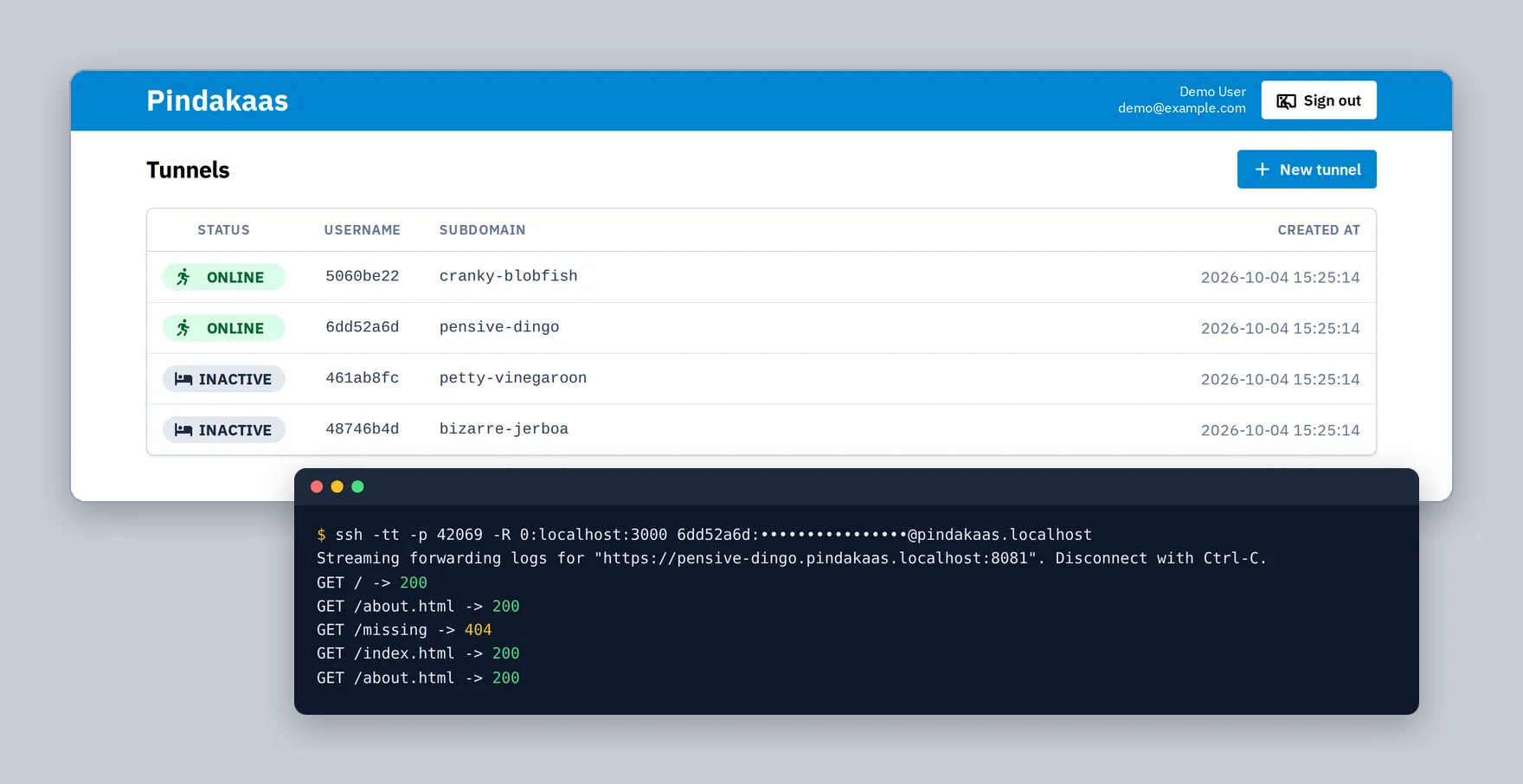
- Live tunnel status
- Role
- Design and implementation (hackathon project)
- Stack
-
- Go
- x/crypto/ssh
- Echo v5
- SQLite
- sqlc
- goose
- gomponents
- Svelte
- Tailwind CSS
- Vite
- Ansible
What?
Pindakaas exposes a local web server to the public internet. A user registers a tunnel in a web interface and receives a credential and a stable subdomain. A standard SSH remote forward, for example ssh -p 42069 -R 0:localhost:3000 user:password@host, then connects the subdomain to the local port: public HTTPS requests to https://<subdomain>.<base-domain> are reverse-proxied through the SSH connection. Forwarding logs are streamed to the SSH session.
The name derives from Pinggy, a commercial service of the same kind, by way of pindakaas, the Dutch word for peanut butter.
Why?
At Day Job Inc., voice agents are built with Pipecat and Twilio. Local testing of such an agent requires that Twilio reach a container on the developer’s machine, both for webhooks and for WebSocket media streams. This was originally done with Pinggy.
Pindakaas was written for a company hackathon in Mallorca as a self-hosted replacement, in competition with a colleague’s cloud-native implementation in Rust. Neither implementation entered use: testing through telephone calls was subsequently replaced by direct WebRTC connections to Pipecat, relayed through the managed TURN servers of Amazon Kinesis Video Streams, which removed the need for a public tunnel.
How?
SSH server
The SSH server is built on Go’s x/crypto/ssh package and requires no client configuration beyond OpenSSH. The credential is passed as the SSH user name (username:password), and the server checks it against the database during the authentication callback; a rejected connection receives an explanatory SSH banner rather than a bare “Permission denied”. Tunnel passwords are stored with column-level encryption.
A tcpip-forward request registers the connection in an in-memory registry keyed by subdomain. Registration follows a “last connection wins” rule: a new connection for a subdomain atomically replaces the previous one, which is notified and closed. Deregistration removes an entry only if it still refers to the same connection, so the teardown of an evicted connection cannot remove its successor.
HTTP proxy
The HTTP server extracts the subdomain from the Host header and looks up the active tunnel. Each tunnel implements Go’s http.RoundTripper: for every request it opens a forwarded-tcpip channel over the existing SSH connection, writes the request into the channel and reads the response from it. The standard httputil.ReverseProxy therefore handles header rewriting and streaming, while the public Host header is preserved for the backend. Plain HTTP is redirected to HTTPS, and HSTS is enabled. WebSocket upgrades require HTTP/1.1, since HTTP/2 connections cannot be hijacked; HTTP/2 can be disabled for this purpose.
Web interface
Administrators sign in with Google (OpenID Connect). Tunnels are created and deleted in a server-rendered interface (gomponents), with interactive parts in Svelte 5. Subdomains are generated from lists of adjectives and nouns. The tunnel list shows the connection state of each tunnel live, through Server-Sent Events published by the registry on every connection and disconnection. Data is stored in SQLite with sqlc queries and goose migrations; deployment is handled by a separate Ansible repository.