Envelope Encryption with AWS KMS in Node.js · Part One
Authenticated Encryption Using the Web Crypto API
Karol Moroz on
Introduction
This article is the first in a series of articles discussing a cryptographic technique called envelope encryption. In this technique, the plaintext message is first encrypted symmetrically using an ephemeral key called the Data Encryption Key (or DEK for short). The Data Encryption Key is then encrypted (“wrapped”) with another key or key pair, called a Key Encryption Key (KEK). The wrapped key is stored alongside the ciphertext. In order to decrypt the message, you need to first decrypt (“unwrap”) the encrypted Data Encryption Key, after which you can decrypt the ciphertext.
In this series, we are going to implement a custom envelope encryption scheme using an authenticated encryption scheme called AES-GCM (Advanced Encryption Standard, Galois Counter Mode). The symmetric AES key will be generated and encrypted using AWS KMS, a cryptographic cloud service developed by Amazon.
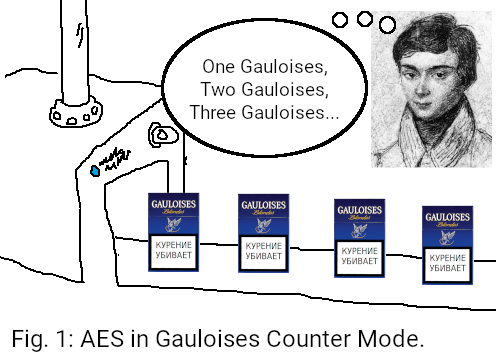
Please note that this is merely a side project built for academic purposes. It has not been audited and as such should not be considered production-ready. That said, feel free to learn from it, incorporate it in your side projects, and provide constructive feedback.
The source code for this project is available on my GitHub at moroz/envelope-encryption-node, branch tutorial/part-1, and MIT-licensed.
Rationale
First, let me present a use case for envelope encryption.
Alice is building a fleet management system in Node.js. The system is internal to Alice’s organization. The system needs to store user-uploaded files, such as vehicle maintenance reports or insurance policies.
The data may potentially be stored in different places, such as a NAS (Network Accessible Storage), a dedicated Web server, or in a cloud storage system, such as Google Drive, iCloud, or AWS S3 (Simple Storage Service).
All of these locations may at some point be compromised, at which point all unencrypted files would be compromised. Even if nobody breaks into the storage, the data may still be visible to the storage medium provider. Therefore, Alice needs to encrypt the data at rest to prevent the storage provider and any unauthorized third parties from exfiltrating the data.
In a naïve first iteration of a DIY encryption scheme, we could simply encrypt the files using an Authenticated Encryption with Associated Data scheme (AEAD), such as AES-GCM or Chacha20-Poly1305. Both AEADs provide good confidentiality and message authenticity guarantees, meaning that the plaintext cannot be recovered without the knowledge of the encryption key, and any tampering with the ciphertext will cause decryption to fail. Unfortunately, if we use the same key for all files, the key becomes a single point of failure. The moment this key is exfiltrated, all messages ever encrypted with this key are compromised.
This vulnerability can be easily resolved through the use of envelope encryption. In this setup, we no longer maintain our own master key. Instead, we call AWS KMS to create a Key Encryption Key (KEK) for us. For each file to be encrypted, KMS generates a disposable Data Encryption Key and wraps it using the Key Encryption Key. Throughout this process, the Key Encryption Key never leaves Amazon’s Hardware Security Modules—the raw key material cannot be exfiltrated from KMS. That said, if an attacker were to gain access to your AWS account, they could still decrypt your DEKs by making calls to KMS using your credentials.
In this article, we’re going to learn how to encrypt data with AES-GCM using the crypto.subtle JavaScript APIs, available in all modern browsers and JS runtimes.
Project setup
This project was developed using Node.js 26.3.0 and pnpm 11.7.0. In the remaining part of this article, I will assume you manage your tooling using mise-en-place. The following setup is minimal—the Web Crypto API is a built-in global in Node.js, therefore the program does not require any dependencies.
Start by creating an empty directory for the project:
$ mkdir envelope-encryption-node
$ cd envelope-encryption-node
Install and pin Node.js and pnpm versions using Mise:
$ mise use node@26.3.0 pnpm@11.7.0
mise 2026.6.10 by @jdx
node@26.3.0
pnpm@11.7.0
mise ~/working/exp/envelope-encryption-node/mise.toml tools: node@26.3.0, pnpm@11.7.0
Initialize a Node.js project using pnpm:
$ pnpm init --init-type=moduleFinally, initialize a Git repository and commit the changes:
$ git init
$ git add .
$ git commit -m "Initial commit"
Generate an AES-GCM encryption key
Now, let’s start writing some code. First, we’re going to need some data to encrypt. For now, we can use a simple string:
const message = "All your base are belong to us.";Next, we’re going to need an encryption key. In the context of the Web Crypto API, an AES encryption key is represented as an instance of CryptoKey. There are two ways you can generate a CryptoKey. First, you can use crypto.subtle.generateKey:
const key = await crypto.subtle.generateKey({ name: "AES-GCM", length: 256 }, true, [
  "encrypt",
  "decrypt",
]);
If you need to use key material coming from another source, (e.g. from the environment or the result of a key derivation function), use crypto.subtle.importKey instead:
// Generate 32 random bytes (using a cryptographically secure PRNG)
const keyMaterial = crypto.getRandomValues(new Uint8Array(32));

const key = await crypto.subtle.importKey("raw", keyMaterial, "AES-GCM", true, [
  "encrypt",
  "decrypt",
]);
For each message encrypted with AES-GCM, you need to provide a unique initialization vector (IV). Make this a random value, 12 bytes long:
const iv = crypto.getRandomValues(new Uint8Array(12));An IV is sometimes called a nonce (short for number once). This term is rarely used in Europe due to negative connotations in British English.
Finally, encrypt message using crypto.subtle.encrypt:
const ciphertext = await crypto.subtle.encrypt(
  { name: "AES-GCM", iv },
  key,
  new TextEncoder().encode(message),
);
Put it all together in src/index.ts (create a new directory and file). Even though we are using a TypeScript extension, we do not need to install the TypeScript compiler yet unless we want to use advanced TypeScript syntax, such as enums:
const message = "All your base are belong to us.";
const key = await crypto.subtle.generateKey({ name: "AES-GCM", length: 256 }, true, [
  "encrypt",
  "decrypt",
]);
const iv = crypto.getRandomValues(new Uint8Array(12));

const ciphertext = await crypto.subtle.encrypt(
  { name: "AES-GCM", iv },
  key,
  new TextEncoder().encode(message),
);
console.log({ key, iv, ciphertext });
When you run it, the program should print the respective objects to the terminal:
$ node src/index.ts
{
  key: CryptoKey {
    type: 'secret',
    extractable: true,
    algorithm: { name: 'AES-GCM', length: 256 },
    usages: [ 'encrypt', 'decrypt' ]
  },
  iv: Uint8Array(12) [
    111, 236,  88, 210,  18,
    155,  64, 119,  47, 240,
    141, 180
  ],
  ciphertext: ArrayBuffer {
    [Uint8Contents]: <08 46 96 69 8a 1f 75 30 54 54 ce 19 f8 17 27 2e 61 20 bc 2c e7 af bb 0f 48 5e fb 92 ff d7 bc a9 ed 7e 7d bf 73 ab 92 1e 38 8d c6 d5 85 9a b3>,
    [byteLength]: 47
  }
}
Decrypt an AES-GCM ciphertext
Decrypting ciphertext is as easy as calling crypto.subtle.decrypt:
const decrypted = await crypto.subtle.decrypt({ name: "AES-GCM", iv }, key, ciphertext);This method returns a Promise<ArrayBuffer>, which can in turn be converted to a string using TextDecoder:
const asString = new TextDecoder().decode(decrypted);Let’s put it all together:
const message = "All your base are belong to us.";
const key = await crypto.subtle.generateKey({ name: "AES-GCM", length: 256 }, true, [
  "encrypt",
  "decrypt",
]);
const iv = crypto.getRandomValues(new Uint8Array(12));

const ciphertext = await crypto.subtle.encrypt(
  { name: "AES-GCM", iv },
  key,
  new TextEncoder().encode(message),
);

const decrypted = await crypto.subtle.decrypt({ name: "AES-GCM", iv }, key, ciphertext);
const asString = new TextDecoder().decode(decrypted);
console.log({ asString });
The script should now print the plaintext message to the terminal:
$ node src/index.ts
{ asString: 'All your base are belong to us.' }
Learnings
- In the context of the Web Crypto API, AES-GCM encryption and decryption is performed using the methods
crypto.subtle.encryptandcrypto.subtle.decrypt, respectively. - Both operations require a symmetric key, which is an instance of
CryptoKey, as well as a 12-byte unique initialization vector (IV). - An AES-GCM key can be generated using
crypto.subtle.generateKeyor instantiated from key material usingcrypto.subtle.importKey. - You can generate cryptographically secure random values using
crypto.getRandomValues, which you should call with a newly instantiatedUint8Array.
In the next part of this series, I’m going to discuss generating Data Encryption Keys using AWS KMS.